Shown as UV Roll in your builder list. It covers both roll and fixed-sheet production — which one your shoppers get comes from the feed type you set in initial setup.
What the customer sees
Shoppers lay their designs out on a roll or a fixed flatbed sheet just like a sticker sheet — upload art, drag, resize and auto-nest it — and everything prints in one pass. The builder is honest about what the product is: printed UV on durable media, scratch and water resistant, with a white-ink underbase on dark or clear stock, sealed with a protective varnish.
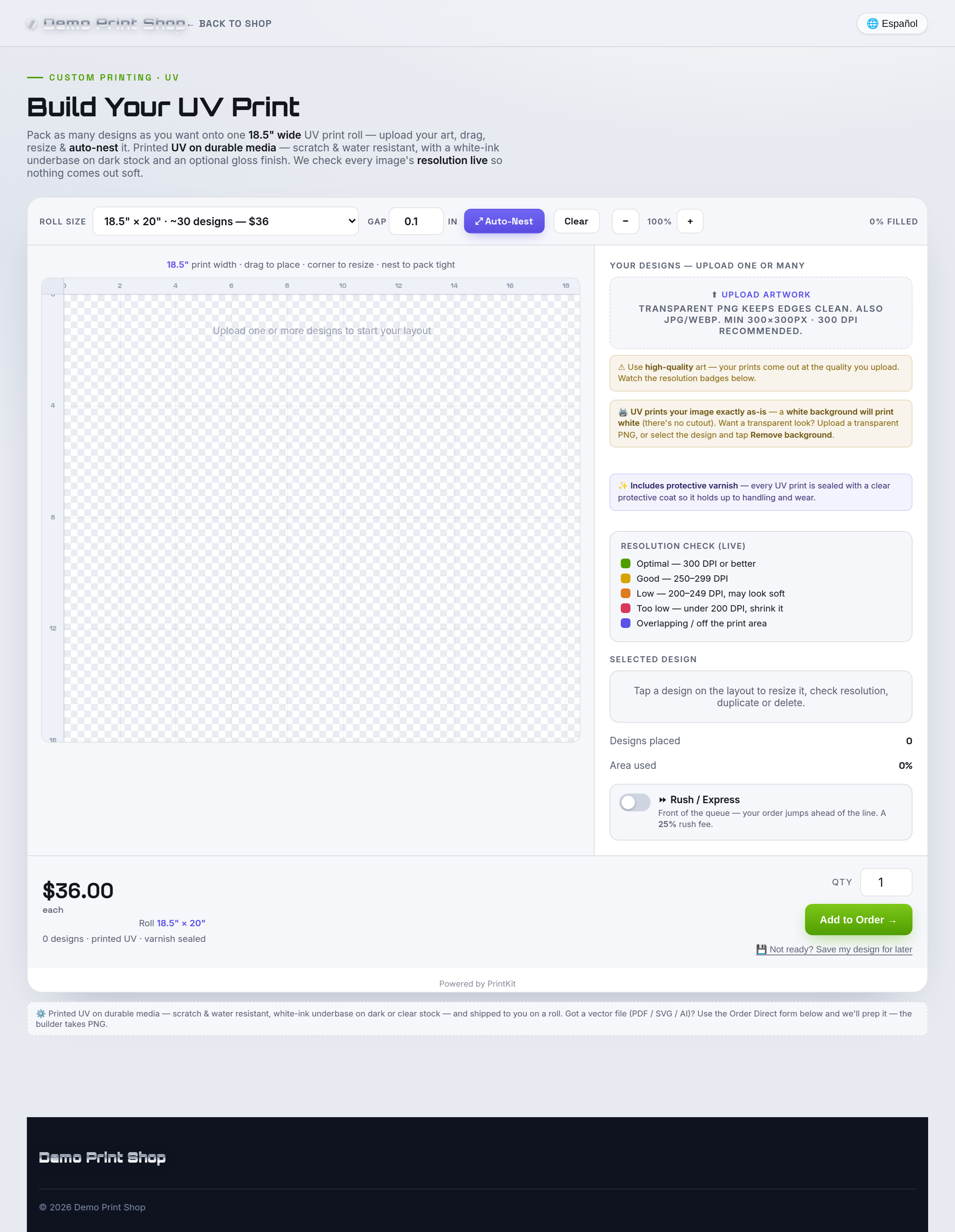
Every PrintKit builder is touch-first, so the same experience works on a phone.

| Control | What the shopper does |
|---|---|
| Your designs | Uploads one or many images onto the layout. |
| Auto-Nest / Clear | Packs everything tight to the roll or sheet, or clears it. |
| Selected design | Centers it, adds copies, resizes it to exact inches, or deletes it. |
| Size & quantity | Picks the roll length or sheet size you sell, and how many. |
| Remove background | Turns a solid background transparent on a placed design, where you have the feature enabled. |
| Save my design | Emails a link back to the in-progress layout. |
UV prints exactly what it's given. The builder says so plainly: a white background will print white, because there is no cutout step. A shopper who wants a transparent look uploads a transparent PNG, or selects the design and taps Remove background. That line alone heads off a lot of remakes.
What you configure
| Setting | What it controls |
|---|---|
| Feed type | Roll or fixed flatbed sheet, so the layout targets how your machine actually runs. |
| Sheet / bed sizes & prices | The roll lengths or flatbed sizes you sell and the price of each. |
| Products | Roll and/or sheet, individually toggleable. |
| Machine width | Your real printable width, set in initial setup — it's what the layout is sized to. |
| Rush | Optional rush fee, set per shop. Off means no rush charge is ever applied. |
UV Roll is billed separately from UV Substrate. They are two different builders — run one, the other, or both.
What arrives in the work ticket & print file
- A print-ready UV file at your roll or sheet size, laid out exactly as the customer arranged it.
- Exact real-life sizing — each design exports at the physical inches chosen.
- Work ticket for the job with the layout, sizes and options, the mockup and the customer's contact details.
This builder is print-only. It produces the printed layout — it does not generate cut contours or a cut file. If your UV DTF workflow needs a contour, add it in your own RIP. Cut-contour files come from the Sticker Sheet Builder.
Very long layouts can export below 300 DPI. There's a hard ceiling on total pixel dimensions, so an unusually long roll can come out under the 300-DPI target. When that happens the actual export DPI is written on the work ticket and into the filename, so your bench knows exactly what it has rather than assuming.
DPI is a warning, never a blocker. Low-resolution art is flagged per design and the shopper is asked to confirm before adding it, but the order can always be completed.