What the customer sees
Embroidery is where quotes usually go wrong, so this builder makes the shopper answer the questions that actually drive cost. They pick an item, a placement, a stitch size and thread colors, and the price updates live by stitch count and area. The builder is explicit that this is stitched, not printed.
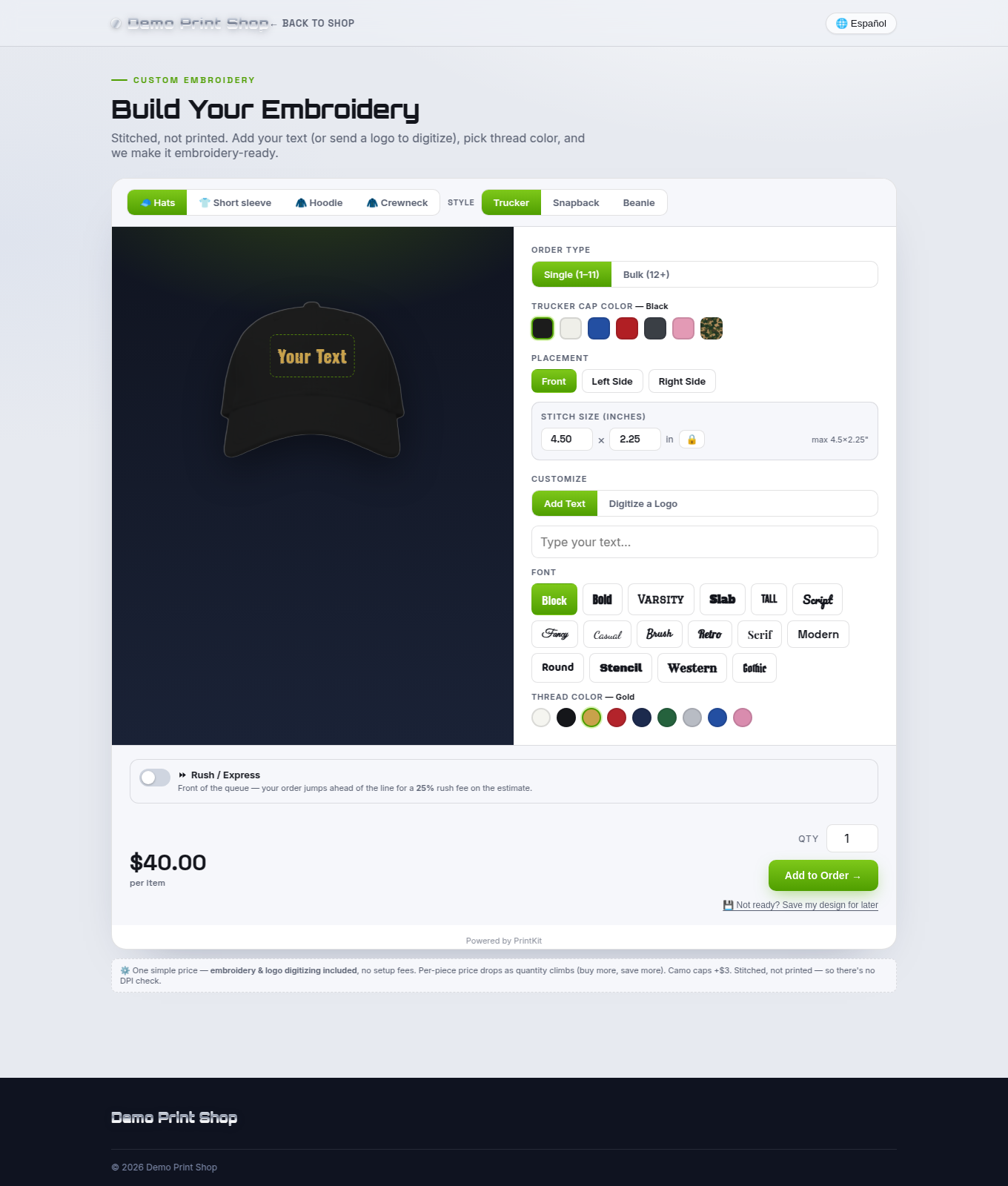
Every PrintKit builder is touch-first, so the same experience works on a phone.
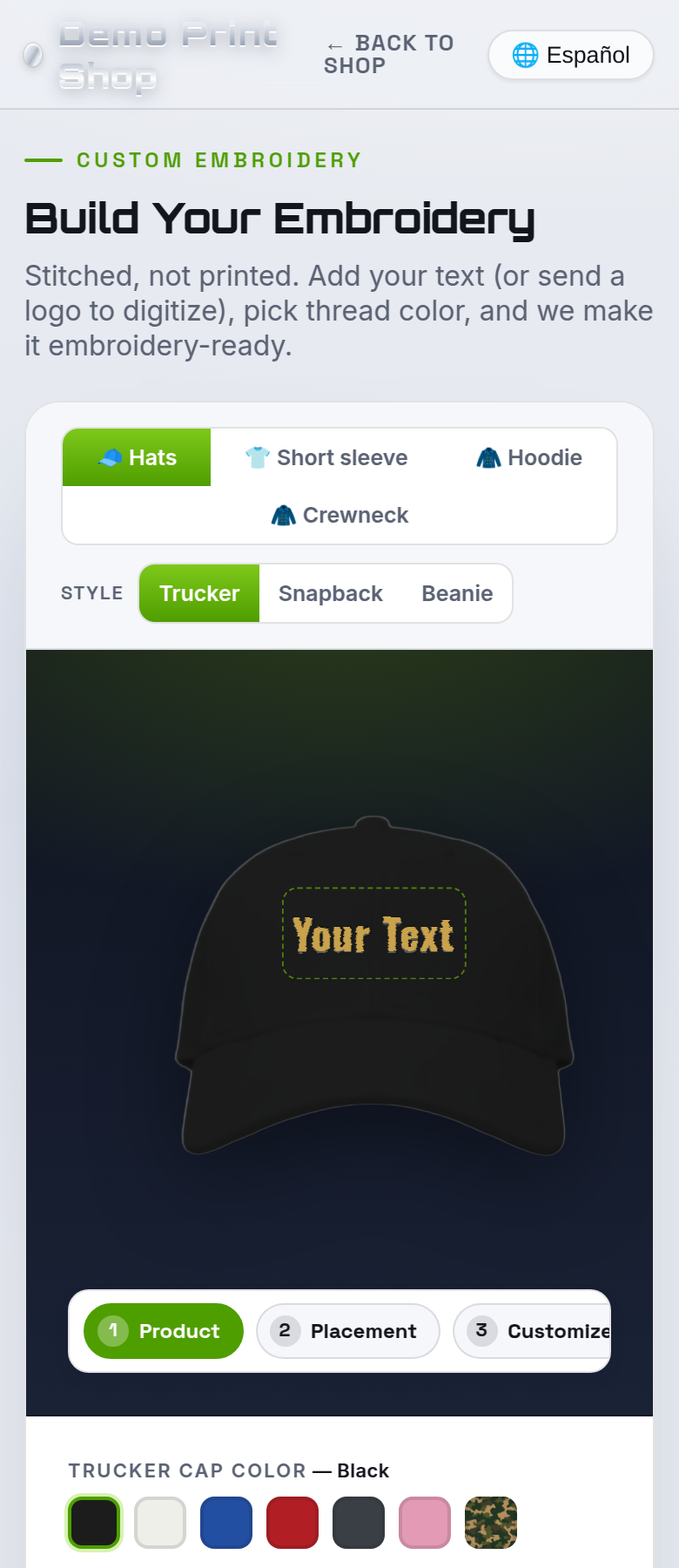
| Control | What the shopper does |
|---|---|
| Order type | Switches between the kinds of embroidery order you offer. |
| Item & color | Picks the garment or item and its color — with the color's name spelled out next to the label. |
| Placement | Left chest, full back, cap front and the rest of the locations you offer. |
| Stitch size (inches) | The real finished size of the embroidery, which is what drives stitch count and price. |
| Customize | Add Text (name, shape and font) or Digitize a Logo. |
| Thread color | Thread swatches, again named, for the shopper's design. |
| Patch options | For patch orders: size, backing and border. |
Logos and digitizing
Embroidery machines can't read a normal image — they sew from a digitized stitch file that maps every stitch, direction and thread color. The builder explains that to the shopper and gives them two honest routes:
They upload a logo
PNG or JPG. Where you have it configured, the builder offers “We digitize it (free)” — digitizing is included and the customer isn't surprised by a setup fee later. You can also show a “free digitizing at N+ pieces” clause if that's your policy.
They already have a stitch file
The builder accepts .DST, .PES, .EXP and .EMB
— ready to sew, no digitizing fee. Vector and source files (PDF, AI, EPS, SVG) are accepted too,
because they are what a digitizer actually wants to work from.
PrintKit does not produce the stitch file. What you receive is a specification plus the customer's artwork, ready for digitizing — by you, by your digitizer, or by us where you have that configured. It is not a machine-ready stitch file, and this help center will never call it one.
What you configure
| Setting | What it controls |
|---|---|
| Shared garments | Garments and print locations are shared with the Full Color Apparel builder — set them up once and they appear here too. |
| Products | Tees, hoodies, hats (trucker / snapback / structured), beanies, polos and custom patches. Each is individually toggleable — patches-only shops are welcome. |
| Colors | Per product, so a polo can carry different colors from a beanie. Swatch names are shown to the shopper. |
| Placement | The locations you stitch, with a Calibrate tool to position the box on your mockup (or type the coordinates directly). |
| Patch options | Patch sizes, backing (iron-on / sew-on / velcro) and border (merrowed or stitched). |
| Pricing | Per-product pricing; the shopper-facing price updates live by stitch count and area. Quantity breaks are supported. |
| Digitizing | Whether digitizing is offered free, and the optional “free digitizing at N+” clause. Leave it off and the clause never appears. |
| Minimum order quantity | Blocks checkout below this many units and shows a notice at the top of the builder. Shopify app |
| Mockup photos | Your own product photos per item and view, with one-click background removal in the Shopify app. |
What arrives in the work ticket & spec sheet
- A digitizing-ready spec sheet — placement, finished dimensions, thread colors and an estimated stitch count — so quoting and digitizing are right the first time.
- The customer's artwork as they supplied it: the raster image for a live preview, plus any vector or source file, or their own stitch file when they had one.
- Not a raster print file. Unlike the print builders, embroidery output is a specification, not a 300-DPI PNG.
- Work ticket with the item, color, placement, thread and size, plus the mockup and the customer's contact details.
Because embroidery is spec-based, the resolution (DPI) meter used by the print builders doesn't apply here — finished size and the stitch estimate drive the ticket instead.