White-label Shopify app for print shops

Your storefront designs it. Your shop floor prints it.

PrintKit adds custom-product design builders to your Shopify storefront. Shoppers design on-site, and every order lands on your bench print-ready — a 300-DPI file, a work ticket, and a one-click Production Pack. No artwork emails, no re-typing specs.

$19/mo for your first builder  ·  +$12/mo each additional  ·  14-day free trial  ·  runs on your own Shopify checkout

yourshop.com/products/custom-apparel
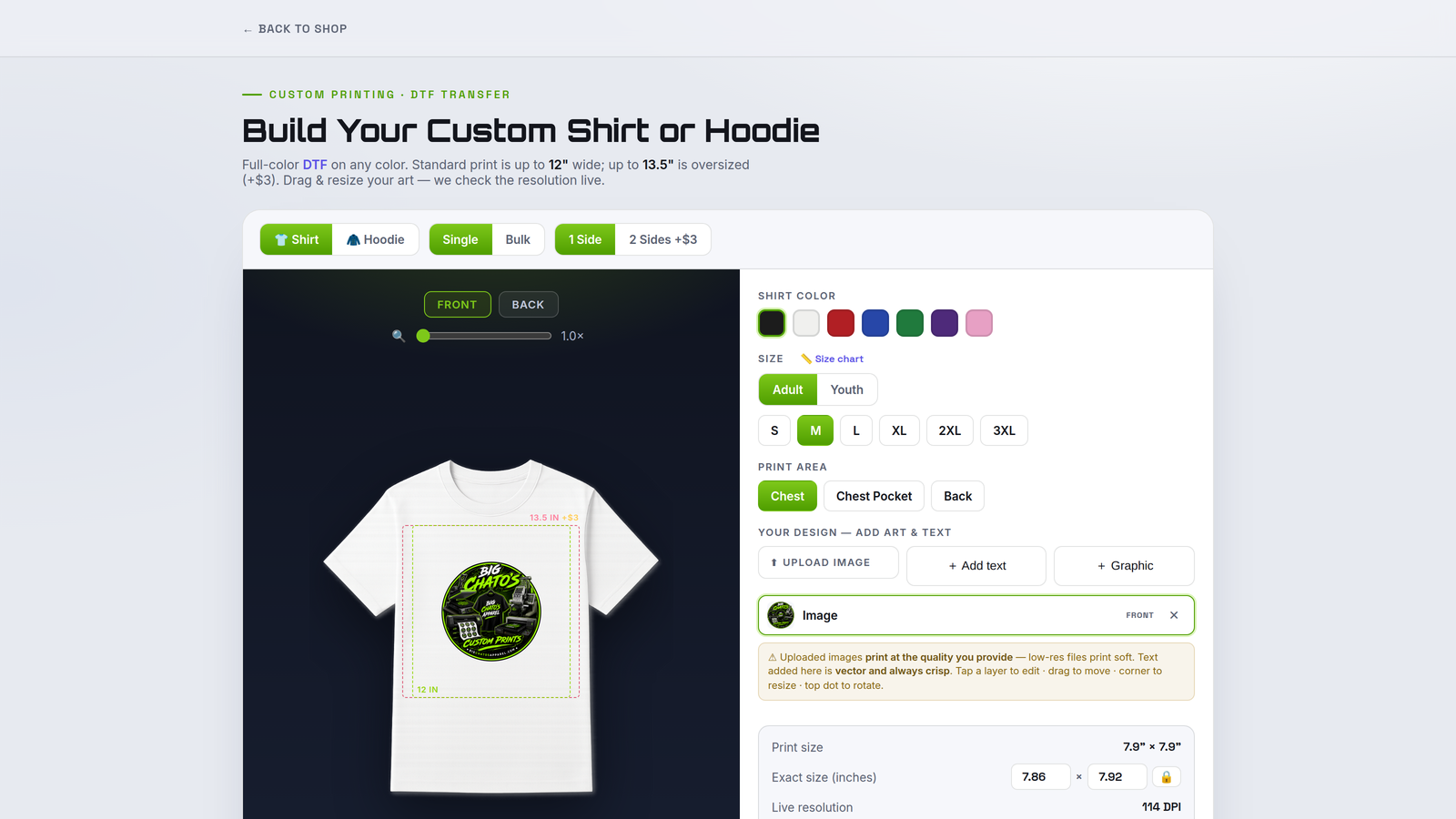
PrintKit Full Color Apparel Builder on a storefront product page — a shopper designing a custom shirt with live print-area guides and a resolution check.
The builders

Six builders, one production pipeline

Turn on only the builders your shop runs. Each one lives on your storefront, adapts to your presses, print areas, roll widths and pricing — and hands every order to your bench print-ready.

yourshop.com/products/custom-apparel
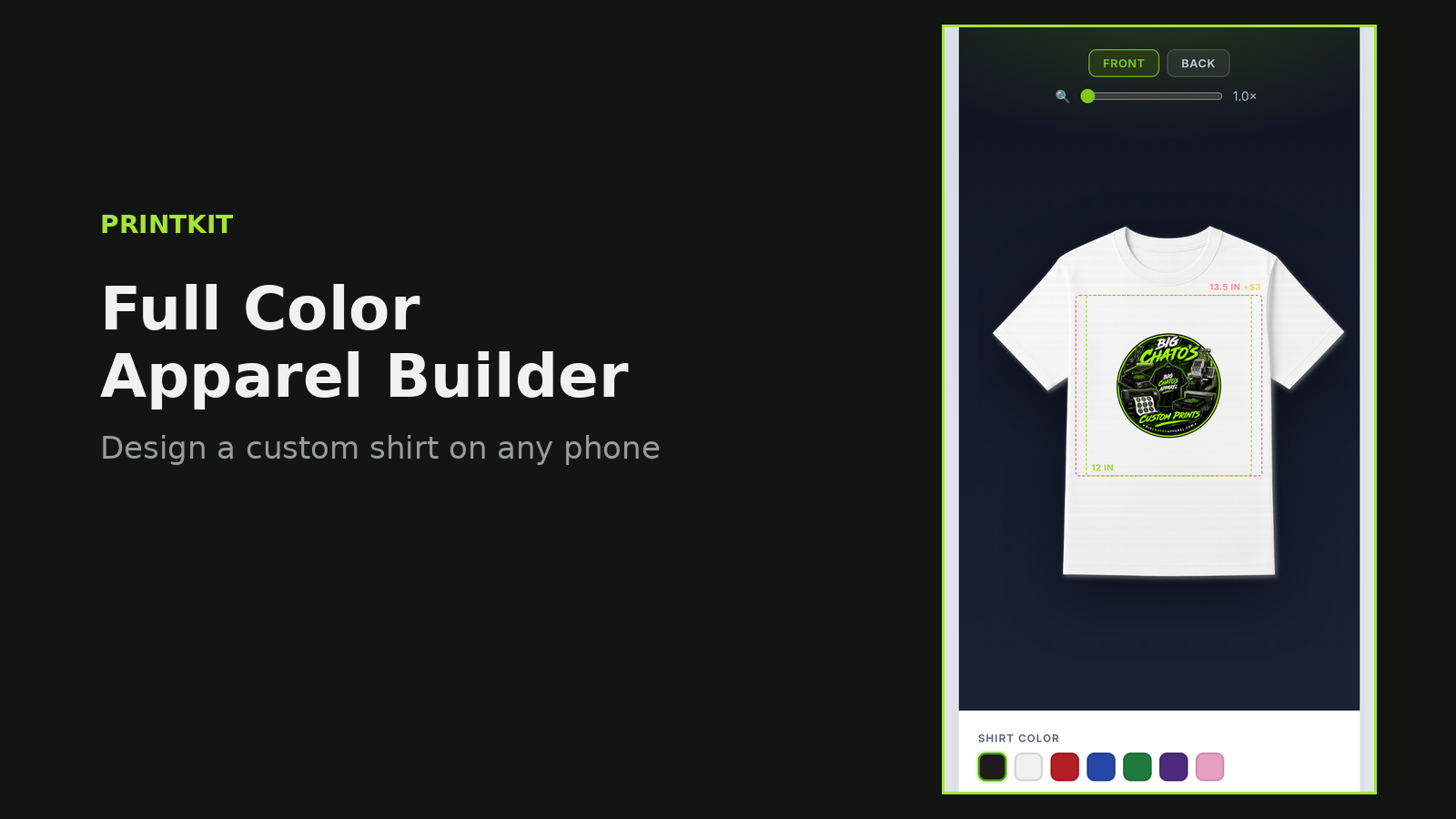
Full Color Apparel Builder — designing a custom shirt with print-area guides and live DPI.

Full Color Apparel Builder

Shoppers pick shirt or hoodie, color, size and print area, then upload art or add text and position it with a live resolution check.

You get a press-sized 300-DPI file for DTG or DTF plus a work ticket with garment, color, size and placement.

yourshop.com/products/sticker-sheet
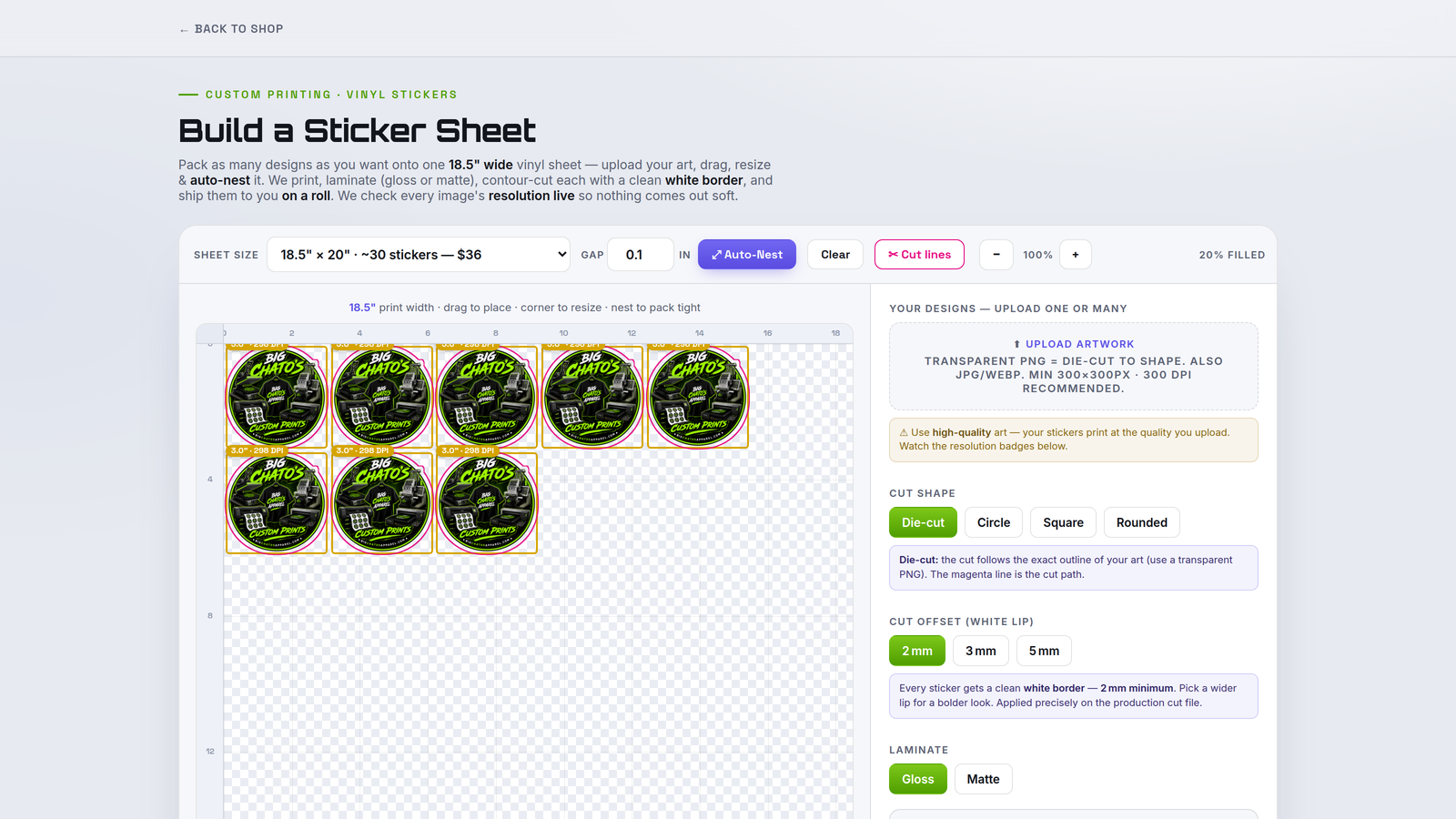
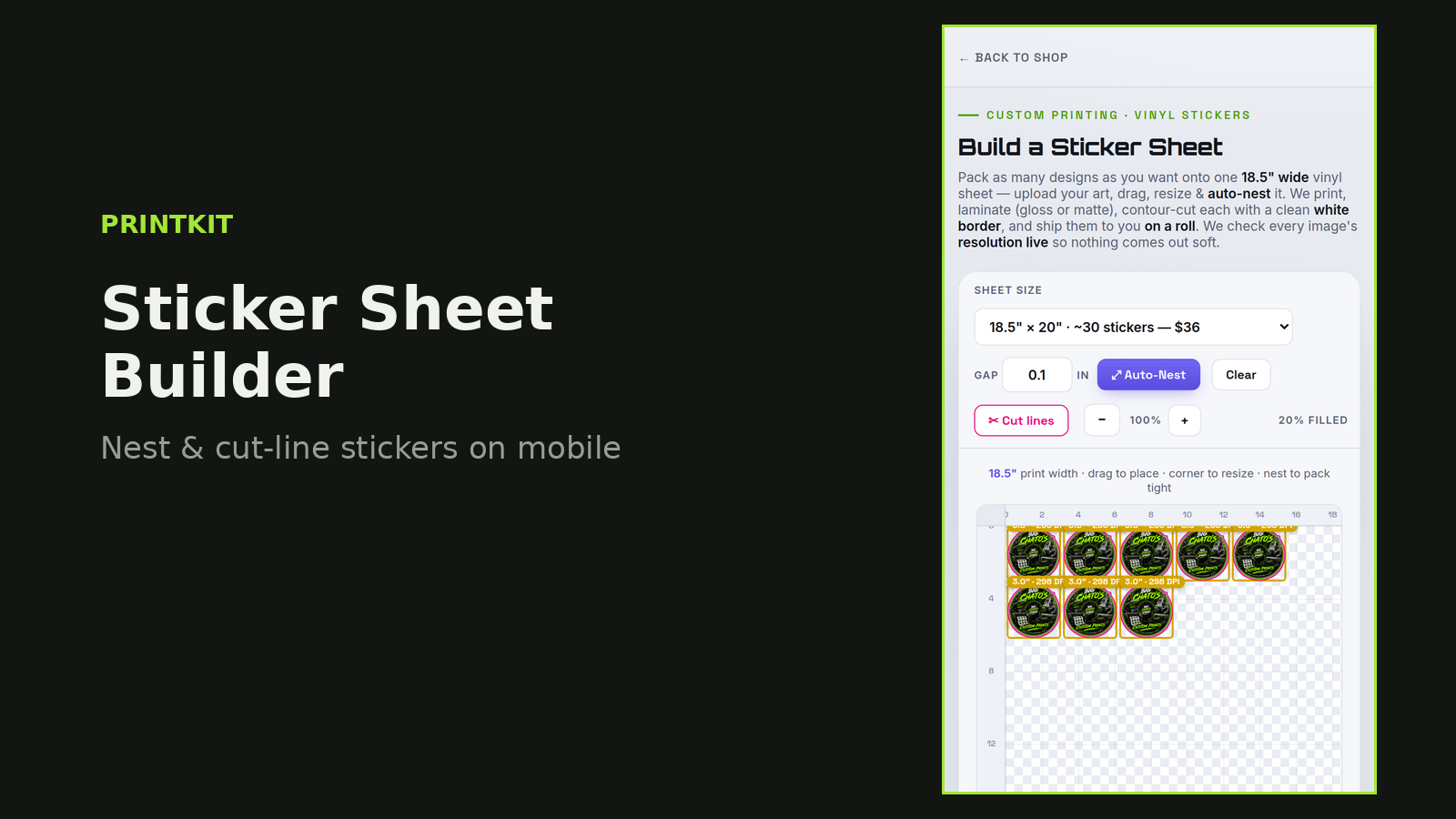
Sticker Sheet Builder — designs auto-nested on a vinyl sheet with a magenta cut line.

Sticker Sheet Builder

Shoppers drop any number of designs onto a sheet at your print width, auto-nest them tight, and pick cut shape, white-lip offset and laminate.

You get a nested, contour-ready file with the cut line as a spot color and bleed baked in — straight to the cutter.

yourshop.com/products/dtf-gang-sheet
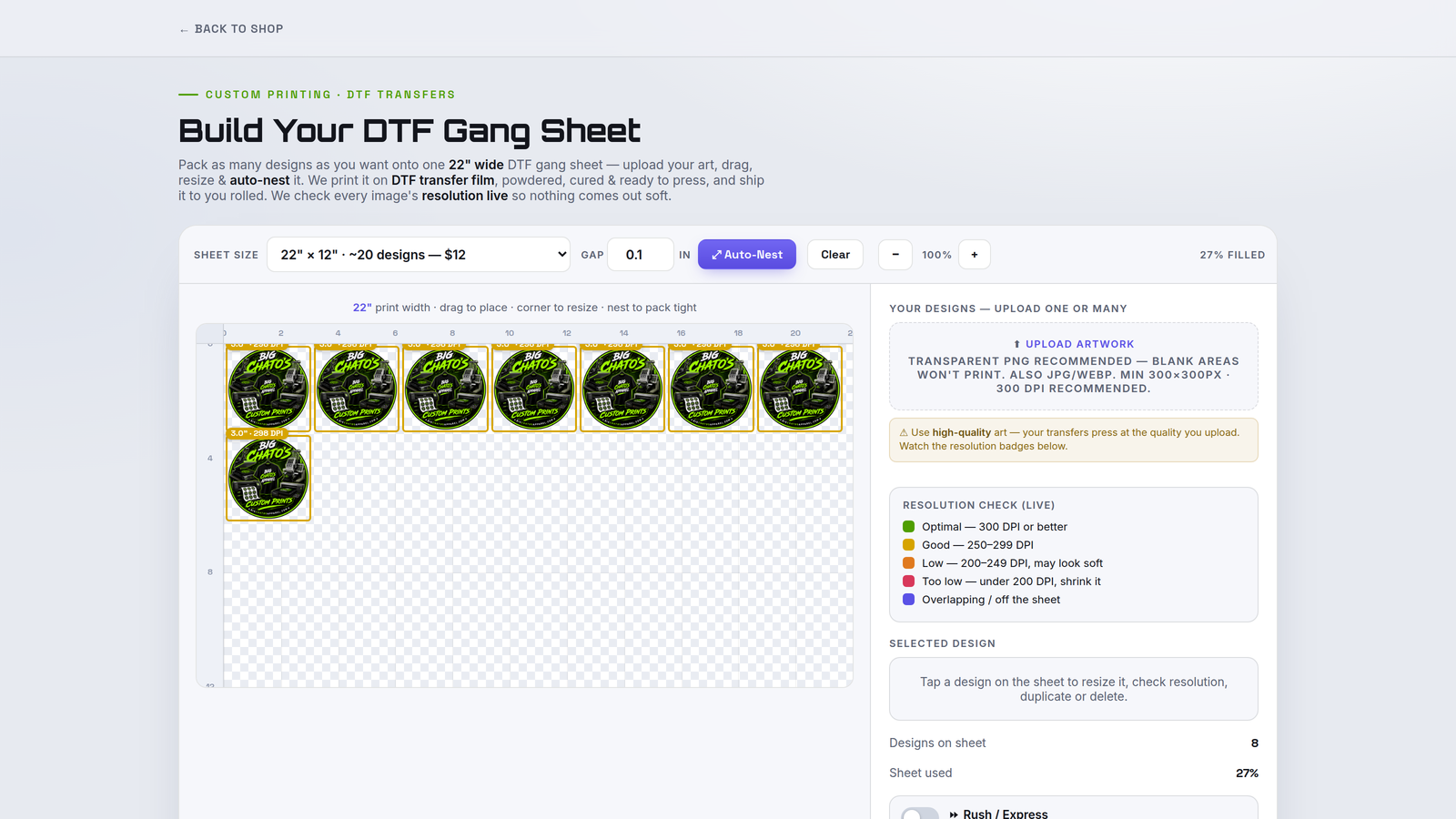
DTF Gang Sheet Builder — transfers packed onto a gang sheet at the shop's roll width.

DTF Gang Sheet Builder

Shoppers fill a gang sheet with their transfers at your exact roll width, sizing each to real inches with a live DPI badge.

You get a packed, ready-to-press DTF sheet plus a ticket listing every transfer and its size.

yourshop.com/products/custom-embroidery
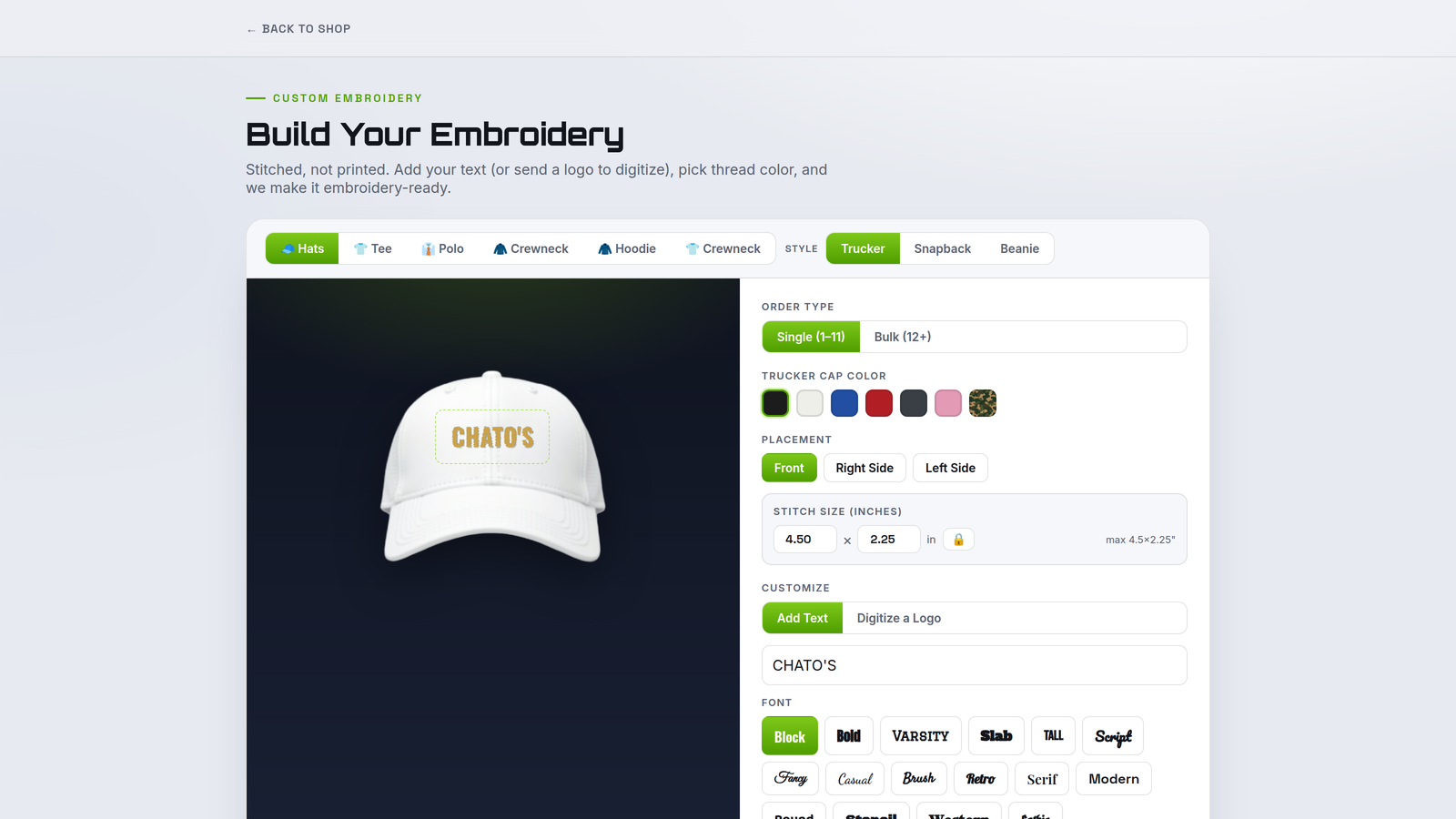
Embroidered Apparel Builder — placement, size and thread choices with live stitch-count pricing.

Embroidered Apparel Builder

Shoppers choose garment, placement, size and thread colors while pricing updates live by stitch count and area.

You get a stitch-ready spec sheet — placement, dimensions, thread and estimated stitch count — so digitizing and quoting are right the first time.

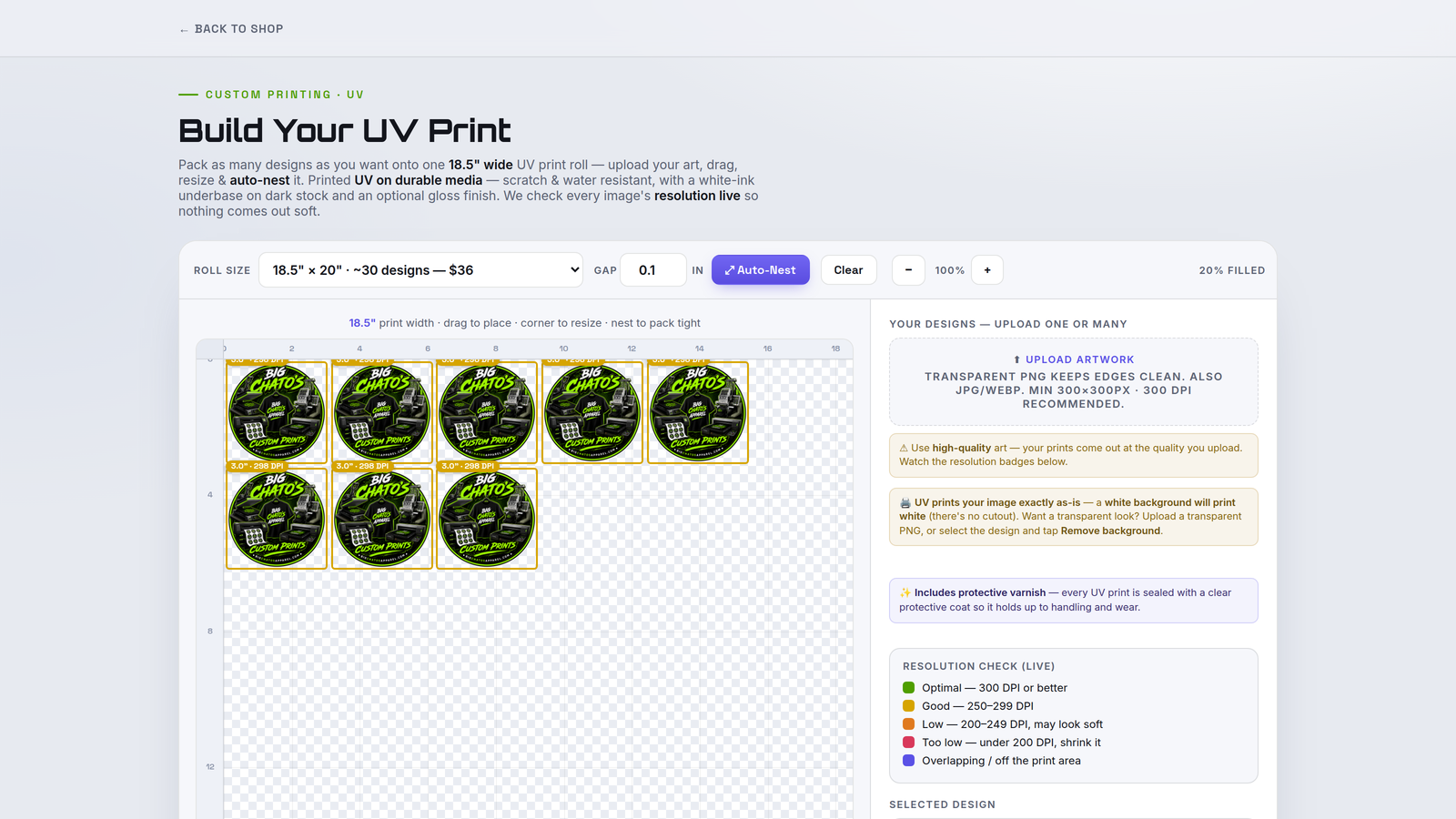
yourshop.com/products/uv-dtf
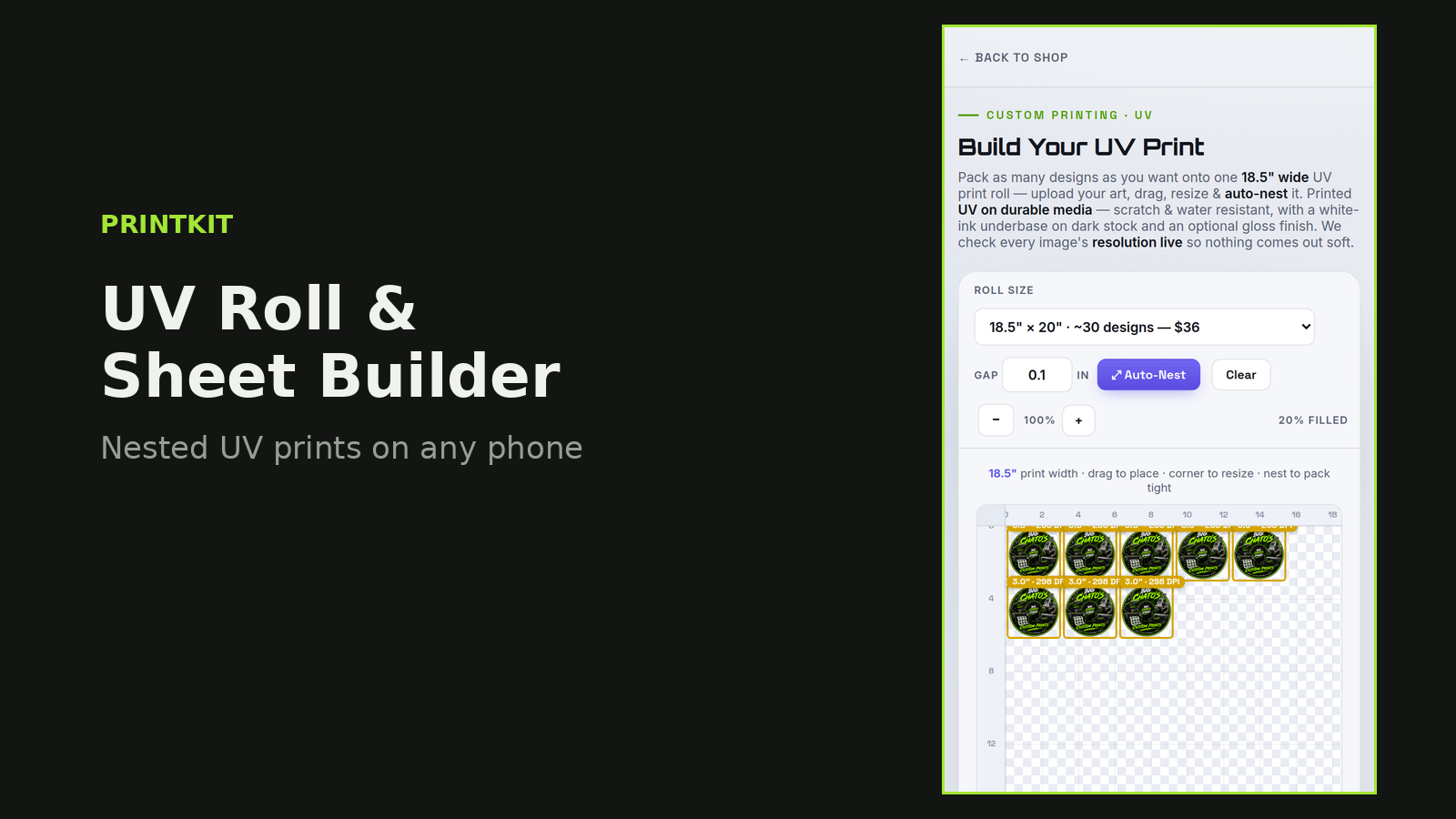
UV Roll and Sheet Builder — laying out UV DTF decals with cut contours.

UV Roll & Sheet Builder

Shoppers lay out UV DTF roll or sheet jobs, position each decal and set cut contours to fit your printer and plotter.

You get a print-and-cut file with contours ready to run, plus a work ticket for the job.

yourshop.com/products/uv-substrate
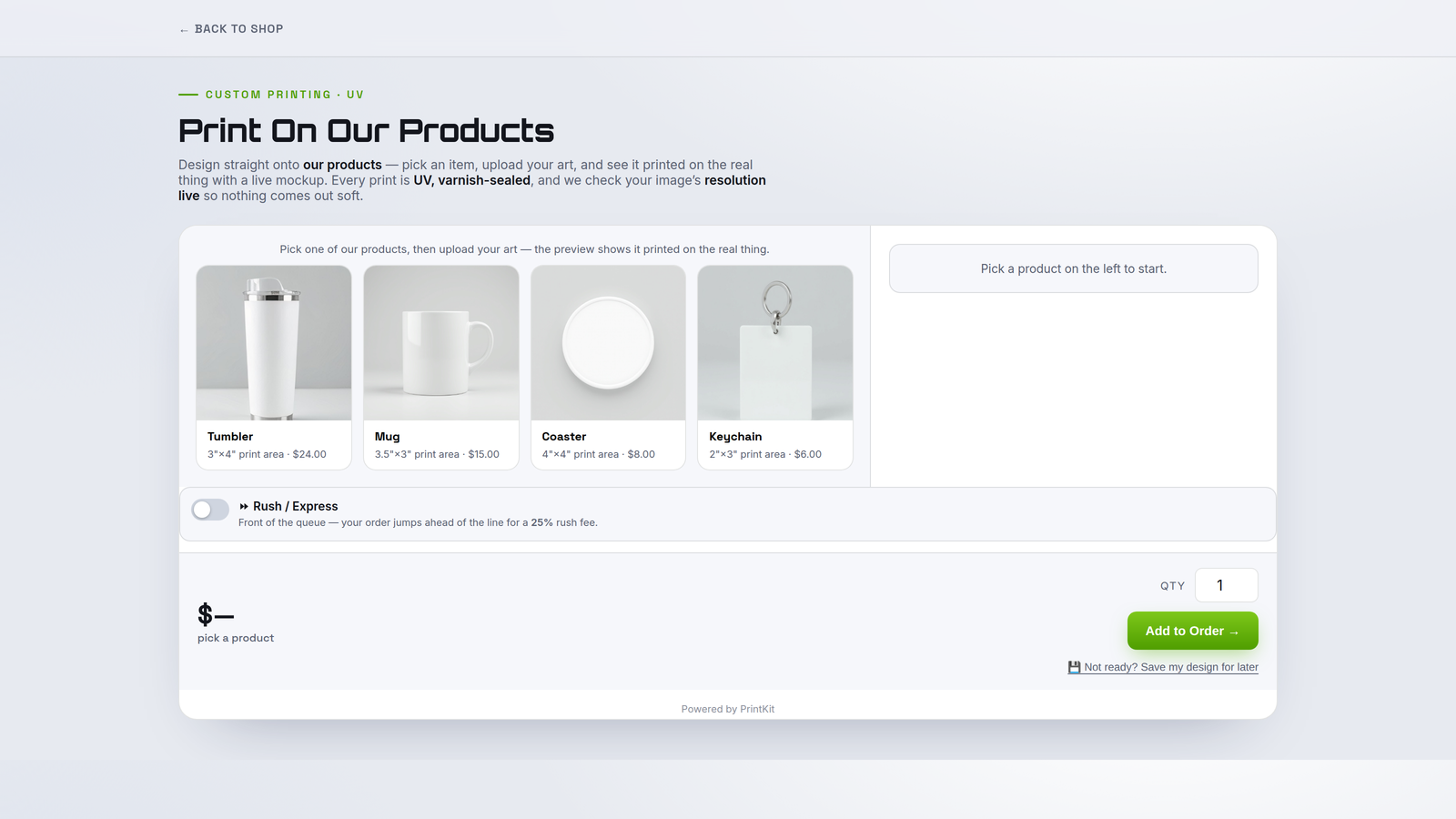
UV Substrate Builder — placing artwork on a hard-good substrate inside the safe area.

UV Substrate Builder

Shoppers pick a hard-good substrate — tumbler, sign, panel — from your presets and drop artwork inside the safe area.

You get a dimension-accurate print file mapped to the substrate, with a ticket listing product, size and finish.

Built for phones

Your shoppers design anywhere

Most storefront traffic is mobile. Every PrintKit builder is touch-first — drag, resize, and checkout work just as smoothly on a phone as on a desktop.

Full Color Apparel Builder on a phone.
Sticker Sheet Builder on a phone.
UV Roll and Sheet Builder on a phone.
How it works

From install to shop-floor job in five steps

Everything happens on your own storefront and inside your own Shopify checkout. No new software for your team to learn.

1

Install PrintKit & pick your builders

Add PrintKit from the Shopify App Store and switch on only the builders your shop runs. Nothing else in your store changes.

2

Configure your products

Set your colors, sizes, print areas, roll widths, cut lines and pricing with point-and-click editors — no code and no design software.

3

Embed the builder on your storefront

Drop a builder onto any product page from the Shopify theme editor. It matches your store's look and works on desktop and mobile.

4

A shopper designs & checks out

Your customer builds their product live, watches the price update, and pays through your own Shopify checkout. PrintKit never touches card data.

5

You get everything to produce it

Every order arrives with a print-ready 300-DPI file, a shop-floor work ticket, and a one-click Production Pack — nothing to chase, nothing to re-type.

Pricing

Simple, per-builder pricing

Start with one builder and add more as you need them. Every plan includes a 14-day free trial, billed through Shopify.

$19/ month
+ $12 / month per additional builder
  • Your first builder, live on your storefront
  • Print-ready 300-DPI files on every order
  • Shop-floor work tickets & Production Packs
  • Your equipment, print areas & pricing presets
  • Runs on your own Shopify checkout
Get early access

14-day free trial

Try any builder free for 14 days before you're billed a cent.

Add builders anytime

Each additional builder is a flat +$12/month — turn them on as your shop grows.

No new checkout to learn

Orders flow through your existing Shopify checkout and payments. PrintKit never touches card data.

PrintKit is launching soon

We're finishing our Shopify App Store listing. Leave us a note and we'll email you the moment PrintKit is available to install.

Questions? Email support@printkit.tech