PrintKit

The builders

Seven storefront builders, one print-ready pipeline.

The builders

Apparel and headwear, in full color

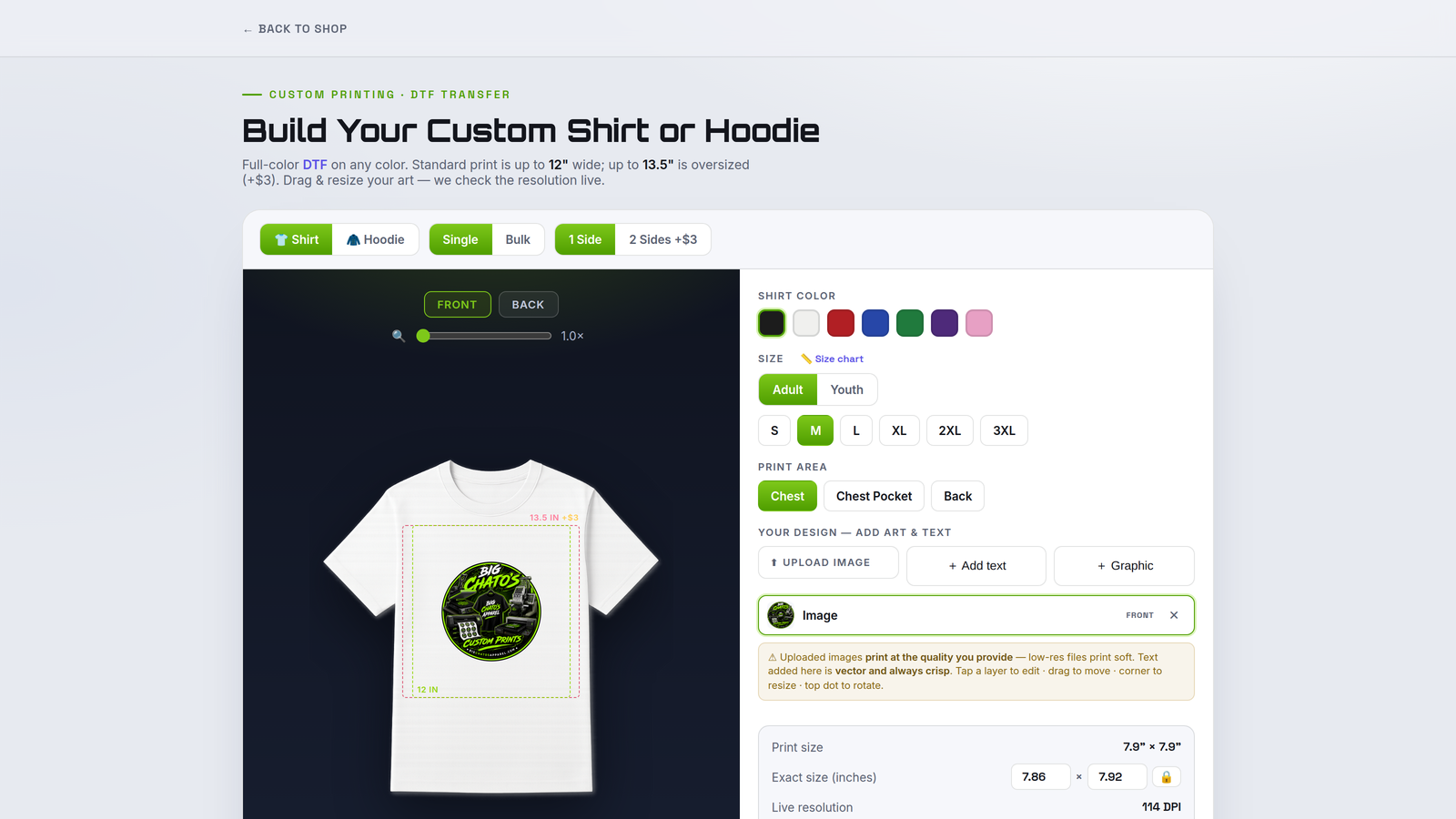
Full-color design on your storefront — tees, long sleeves, hoodies, crewnecks and polos front and back, plus hats, snapbacks and beanies. Every color, size and print area you offer. Printing on hard goods instead? That is the UV Substrate builder, where you upload photos of your own products and mark their exact print areas. A live resolution check grades the art as the shopper sizes it and warns clearly when it’s too low-res to print well at that size — so nothing lands on your press without a heads-up.

Picks garment, color, size and print area, then uploads art or adds text and positions it inside your live print guides.

A press-sized file at up to 300 DPI for DTG or DTF, plus a work ticket with garment, color, size and placement.
Your templates, your rules: don't like our garment photos? Upload your own for any garment and color, knock out the background in a click, mark your print areas and set each garment's true size — so the builder shows the blanks you actually stock.

Packed sticker sheets, cut-ready

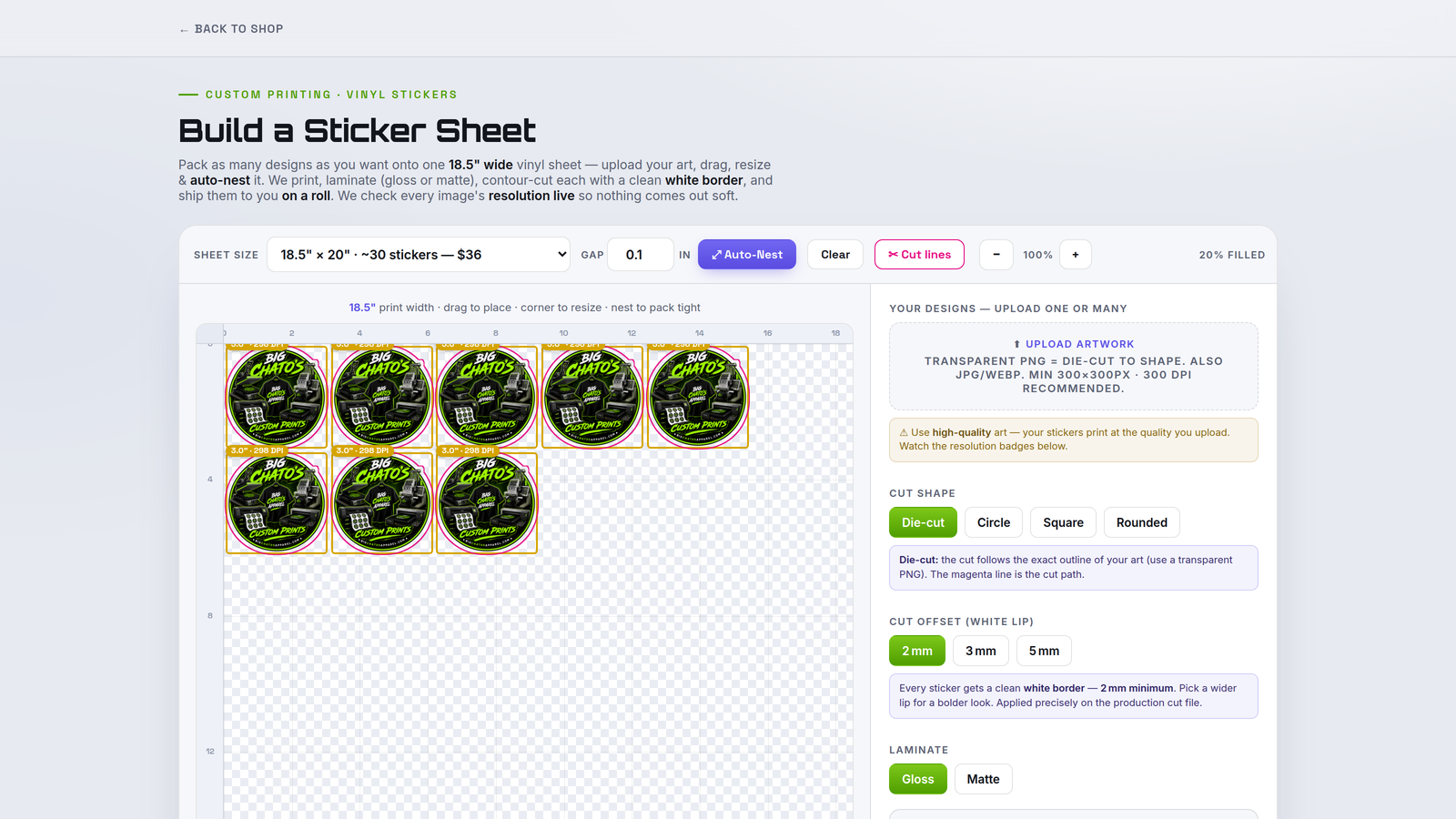
Shoppers build a full vinyl sheet at your print width — as many designs as they want, auto-nested to pack tight. Cut shape, white-lip offset and laminate are all set on the page.

Drops designs onto the sheet, auto-nests them, and chooses die-cut, circle, square or rounded with a white-border offset.

A nested, contour-ready file — with the cut line as a spot color for your cutter, or art-only if you'd rather add the contour in your own RIP.

One design, cut to shape, priced by the run

The other half of sticker work: not a packed sheet, but a single design ordered in quantity. Shoppers pick a size, a cut shape and a finish, and see the sticker at true scale against a labelled inch grid before they commit.

Uploads one design, picks size, cut shape and finish, checks it against a real inch grid or beside a laptop, notebook or bank card, and watches the per-sticker price fall as the run grows.

A die-cut-ready file with the contour drawn for you, plus a work ticket carrying size, cut style, finish and quantity.

Gang sheets at your exact roll width

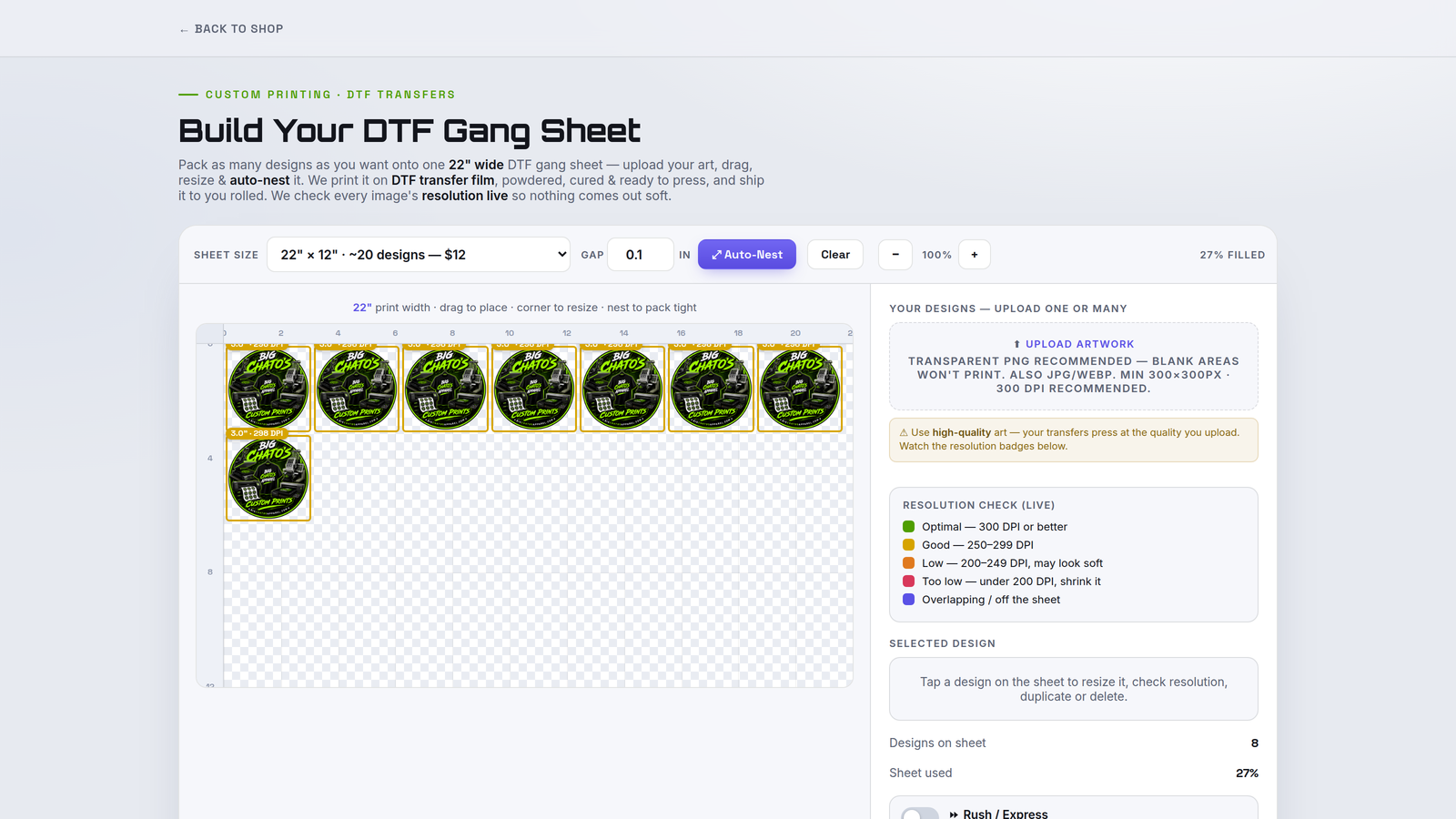
Shoppers fill a DTF gang sheet with their own transfers, sizing each to real inches. A live DPI badge on every image keeps the whole sheet press-quality.

Uploads transfers, resizes each to inches, and packs the sheet to your roll width with live resolution feedback.

A packed, ready-to-print DTF file plus a ticket showing the sheet exactly as the customer laid it out.

Embroidery jobs, priced right

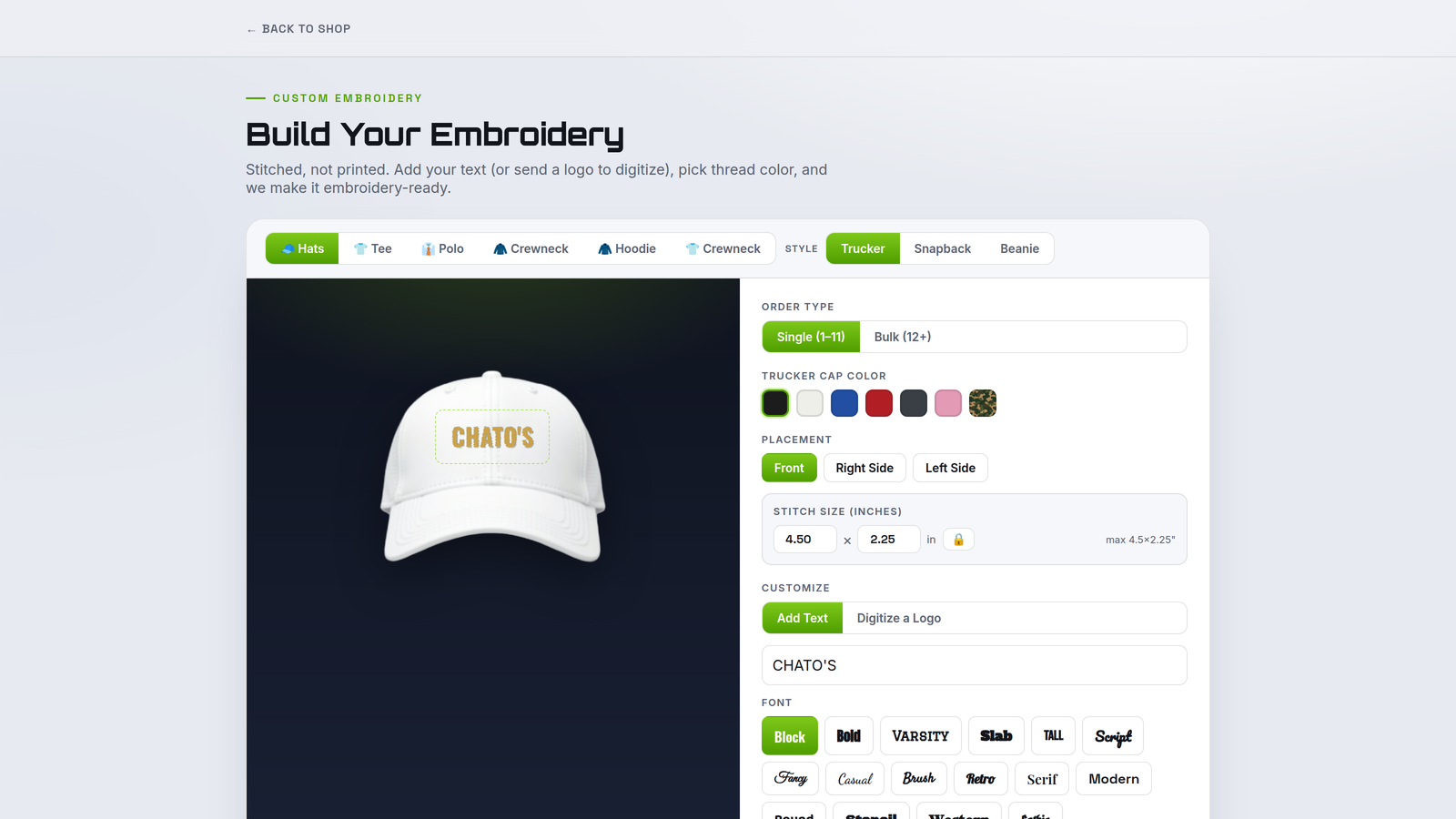
Embroidery quoting is where margins get lost. This builder prices off your own per-product rates and quantity tiers as the shopper picks garment, placement, size and thread — one clear price, updating live, so every quote holds up.

Chooses garment, placement, size and thread colors and watches the price update live.

A spec sheet with placement, dimensions, thread colors and the customer's art — everything ready for digitizing. PrintKit doesn't produce stitch files; digitizing happens on your side or with your digitizer.

UV DTF rolls & sheets, ready to print

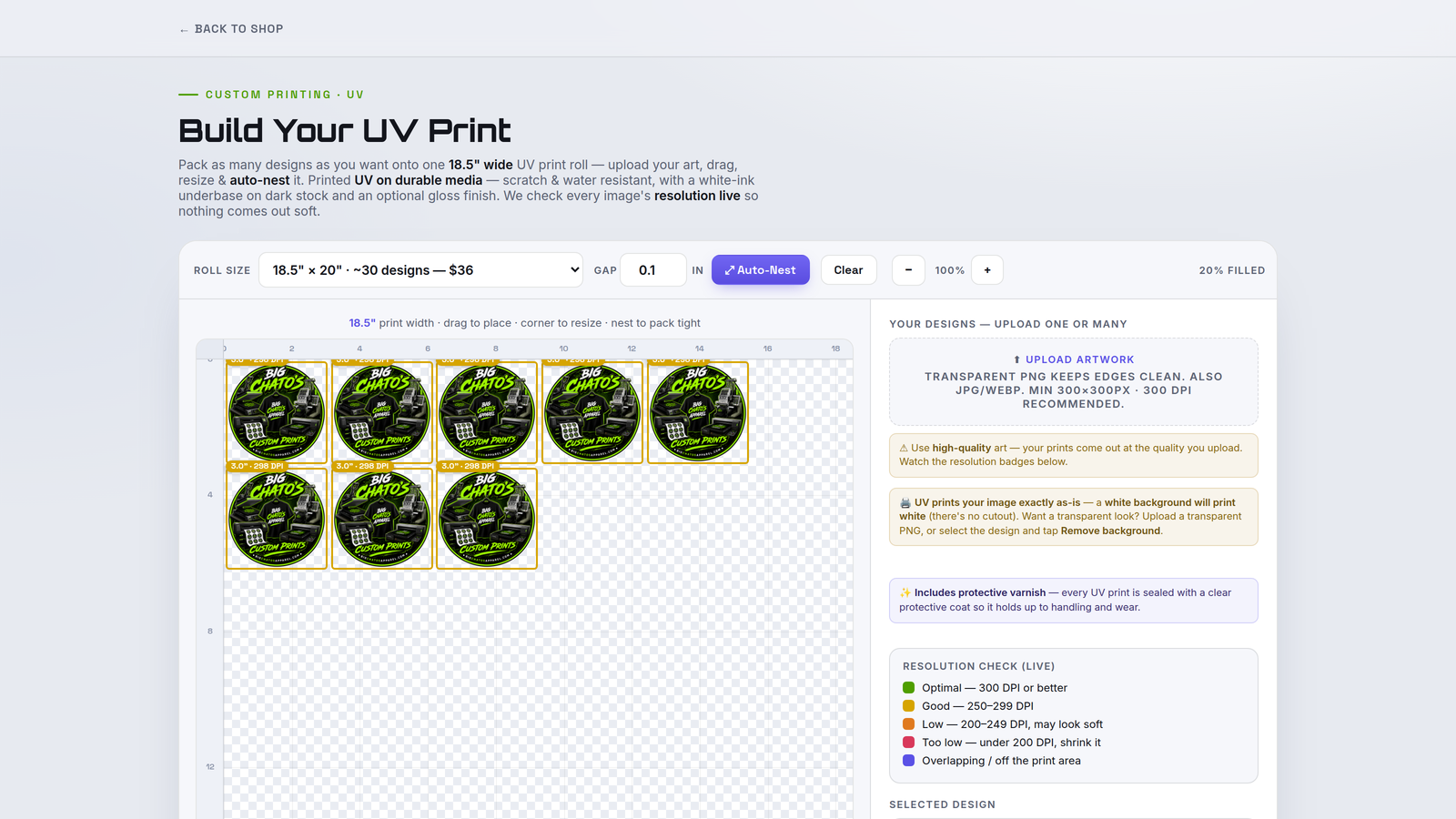
Shoppers lay out their images on a roll- or sheet-based system — whichever you choose at initial setup — ready to run on your UV printer.

Positions images on your roll or sheet — the format you chose at setup.

A print-ready UV file at your roll or sheet size, plus a work ticket for the job. This builder is print-only — it lays out and prints, and doesn't generate cut contours. If your UV DTF workflow needs a contour, add it in your own RIP.

Hard goods, mapped to the exact substrate

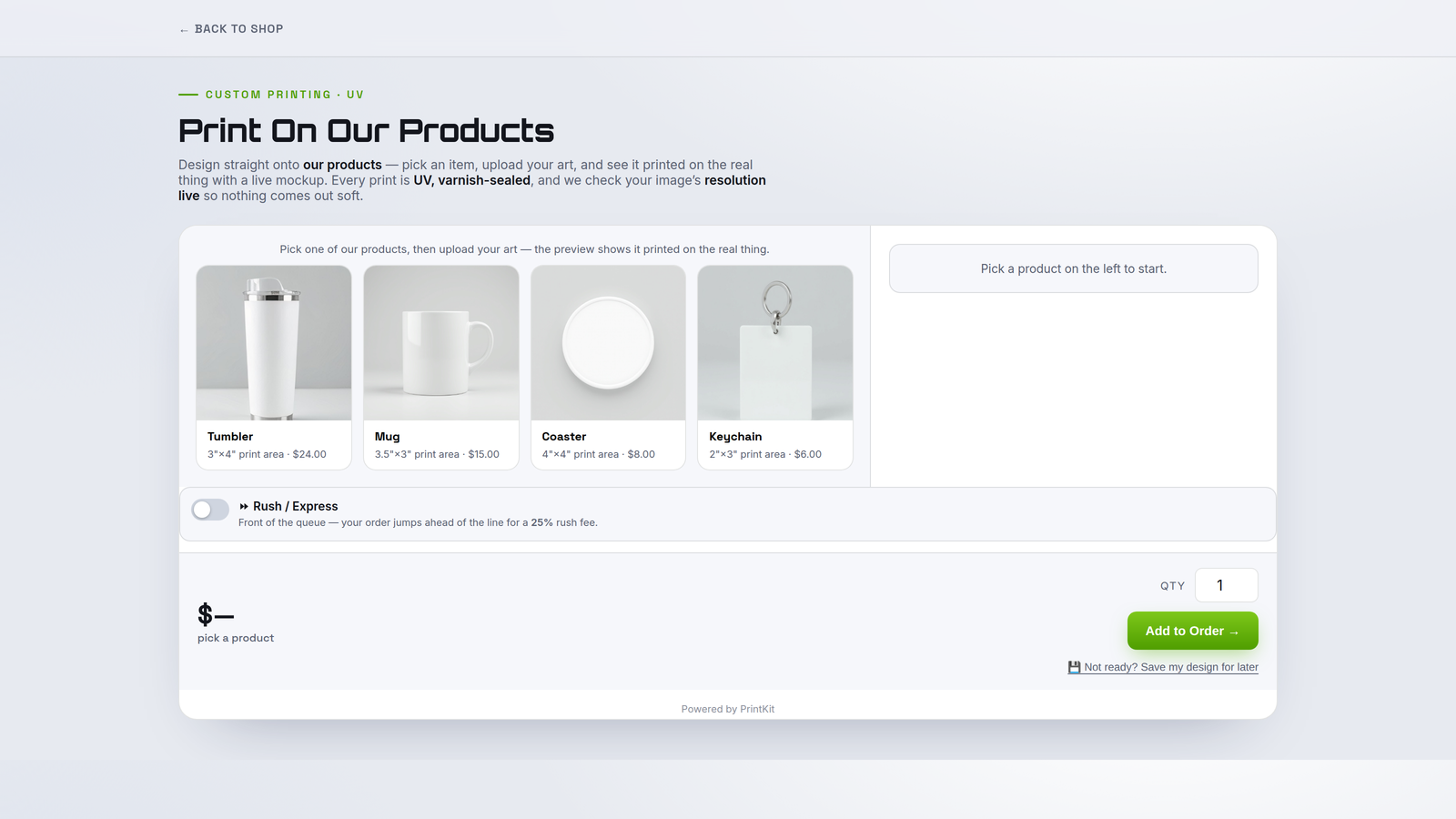
Print on tumblers, signs and panels straight from your storefront. Shoppers work inside your substrate presets and safe areas, so artwork always lands where the flatbed prints.

Picks a substrate from your presets and drops artwork inside the safe area, sized to the real product.

A dimension-accurate print file mapped to the substrate, with a ticket listing product, size and finish.

Your templates, your rules: every substrate is a template you control — upload photos of your own products and mark the exact print area the flatbed should hit.

One pipeline behind every builder

Whichever builders you run, every order arrives the same way: a print-ready file at up to 300 DPI (resolution-checked at upload), a shop-floor work ticket, and a one-click Production Pack.